SleeveStat

Project Overview


Role: Hardware Engineering, Firmware, Industrial Design


Tools: Arduino, Autodesk Fusion, Soldering, Flex Sensors


Duration: 1 Week

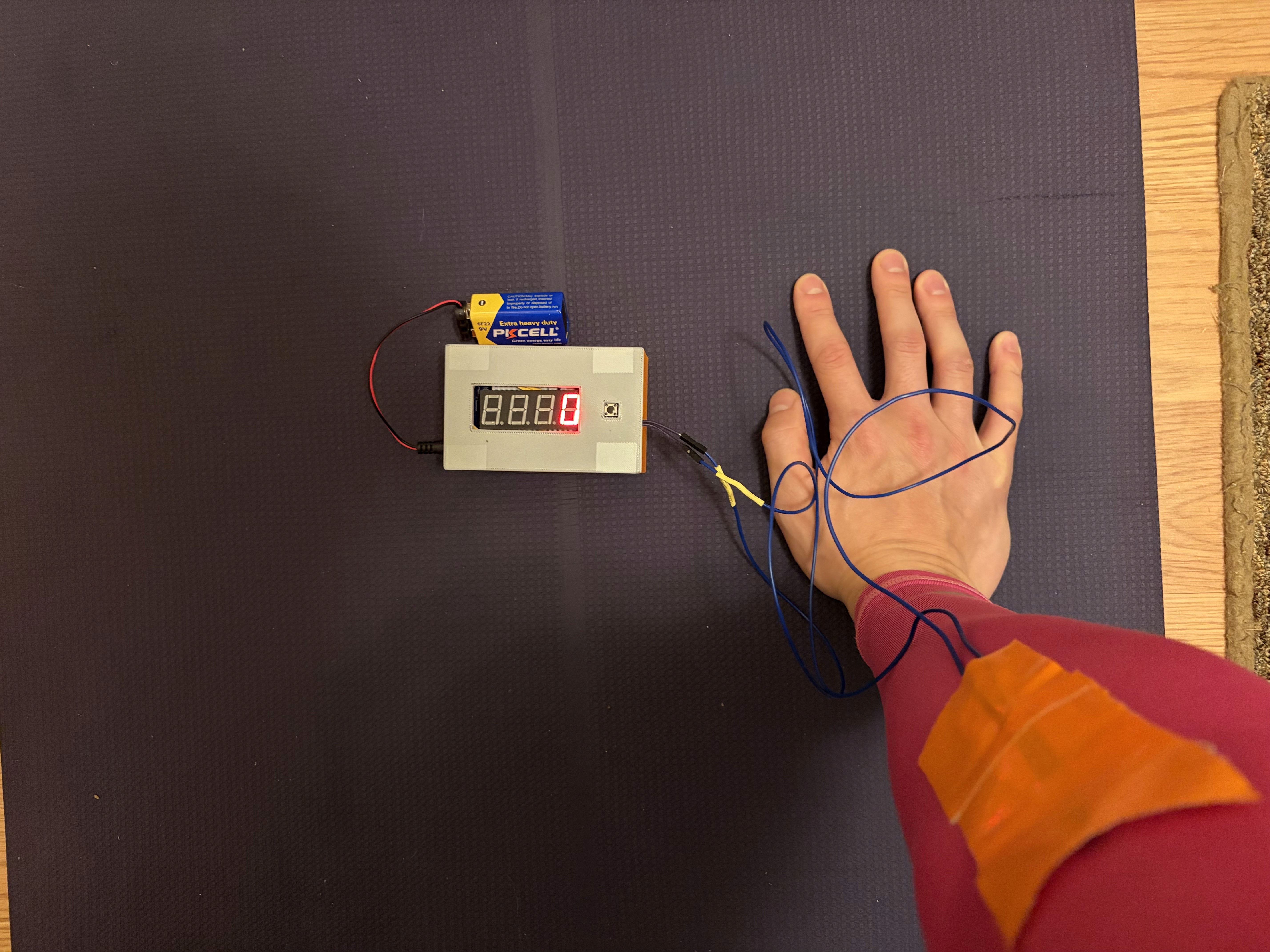
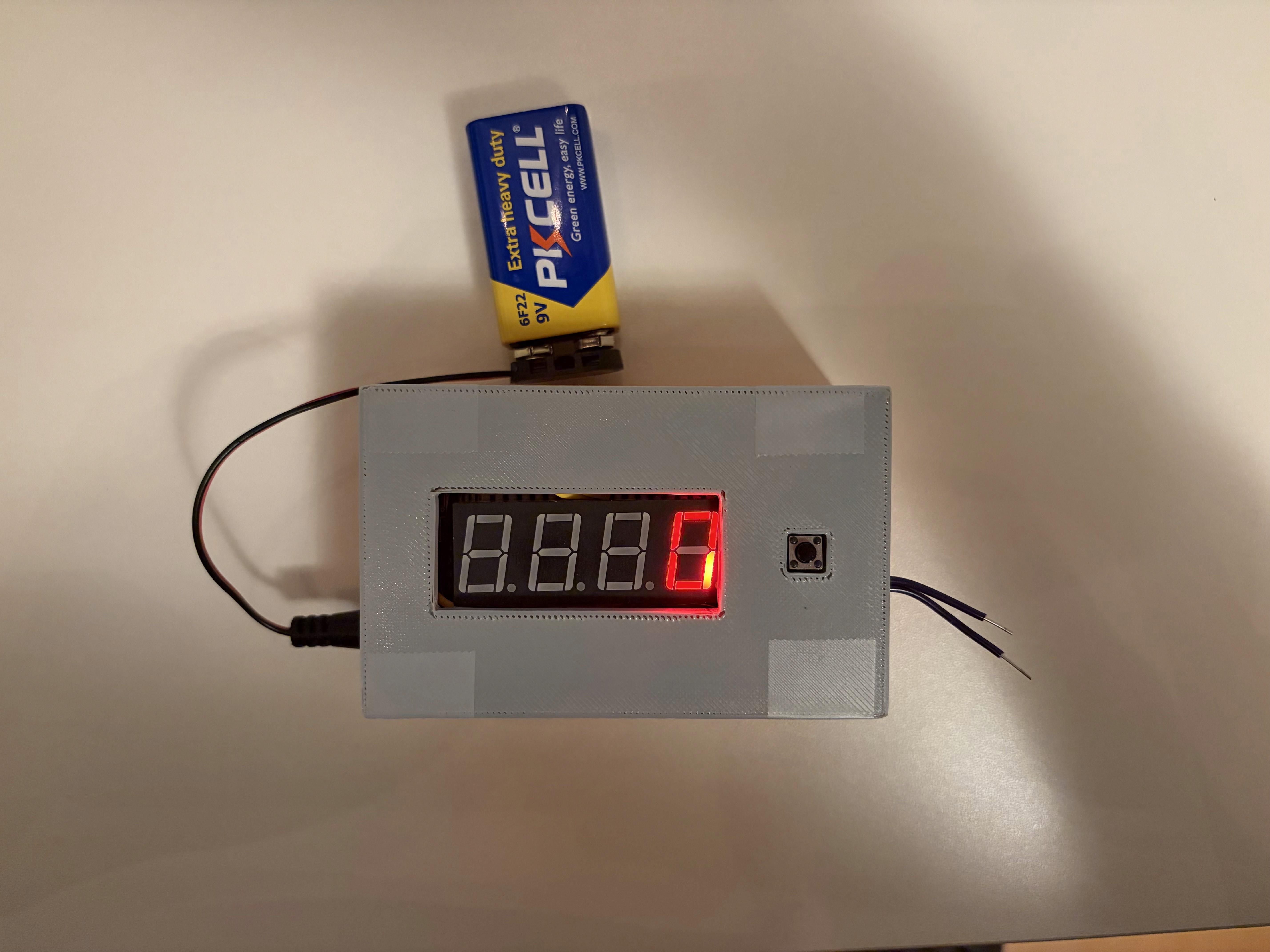
SleeveStat is a physical computing prototype that uses a wearable compression sleeve and flex sensors to detect and count push-up repetitions in real-time. The project features dynamic sensor calibration to adapt to different users and displays live data on a custom-housed 7-segment display.


Objective: Design and engineer a fully integrated prototype that utilizes digital logic to translate physical sensor input into a functional visual output

Inspiration

Wearable Tech


I've always been fascinated by how products like Whoop and Garmin can optimize human performance.


Accuracy


While these products are highly effective in tracking endurance and workouts, I noticed consistent inaccuracy when it came to bodyweight movements —specifically push-ups.

Ideation

Sensor


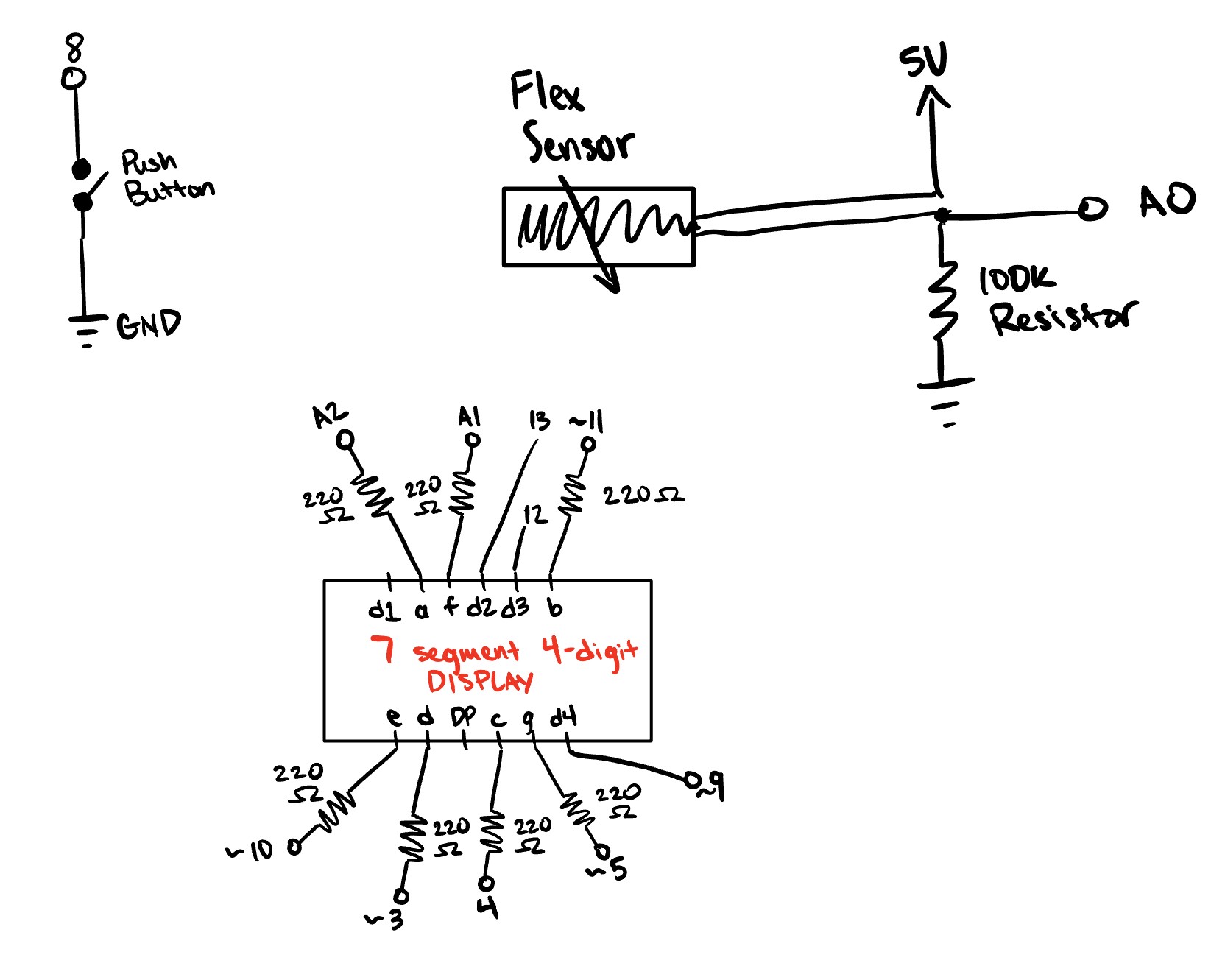
I landed on a Flex Sensor because it directly measures the angle of the elbow joint, allowing for a more reliable way to track repetition depth and accuracy.


Wearable


I decided to use a compression sleeve to house the sensor because it keeps the component perfectly aligned with the elbow while remaining unnoticeable to the athlete during exercise.

Digital Logic

Dynamic Calibration


I programmed a sequence that averages 20 initial readings to establish a unique "neutral baseline" at the start of each session, allowing the device to calibrate to the user's specific neutral form with a single button press.


Detection


To count a push-up, the user must cross the bend threshold and the count only increments once the user returns to their "neutral baseline" to prevent partial reps.

#include "SevSeg.h"

// Initialize 7-segment display object
SevSeg sevseg; 

// Pins for the 3 digits
byte digitPins[] = {13, 12, 9}; 
// Pins for segments A, B, C, D, E, F, G
byte segmentPins[] = {A2, 11, 4, 3, 10, A1, 5}; 

// Pin for the flex sensor signal
const int flexPin = A0;
// Pin for the pushbutton reset
const int buttonPin = 8;

// Variable to store number of completed reps
int pushupCount = 0;

// 0 = Straight (Up), 1 = Full Bend (Down)
int repState = 0; 

// Straight calibrated dynamically during setup/reset
int STRAIGHT_THRESHOLD = 0; 
// Must get deep to count (Min bend is ~770)
const int FULL_REP_THRESHOLD = 540; 

// Function to handle auto-calibration sequence
void calibrateSensor() {
  long sum = 0;
  
  // Take 20 readings to get an average of the straight arm beginning position
  for (int i = 0; i < 20; i++) {
    sum += analogRead(flexPin);

    delay(50); 
  }
  
  // Calculate average and set threshold with a +40 margin for user "tolerance"
  int average = sum / 20;
  STRAIGHT_THRESHOLD = average + 40; 
  
  Serial.print("Calibration Complete. New Straight Threshold: ");
  Serial.println(STRAIGHT_THRESHOLD);
}

void setup() {
  // Start serial for tracking 
  Serial.begin(9600);
  
  // Enable pull-up for reset button
  pinMode(buttonPin, INPUT_PULLUP);

  // DISPLAY CONFIGURATION
  byte numDigits = 3; 
  bool resistorsOnSegments = true; 
  // Change to COMMON_ANODE if display is dark
  byte hardwareConfig = COMMON_CATHODE; 
  bool updateWithDelays = false; 
  bool leadingZeros = false; 
  bool disableDecPoint = true; 

  // Initialize display library
  sevseg.begin(hardwareConfig, numDigits, digitPins, segmentPins, resistorsOnSegments, updateWithDelays, leadingZeros, disableDecPoint);
  
  // Set brightness to visible level 
  sevseg.setBrightness(90);

  // Run initial calibration immediately
  calibrateSensor();
}

void loop() {
  sevseg.refreshDisplay(); 

  // Read current sensor value from elbow
  int flexValue = analogRead(flexPin);

  // Reset Button Logic
  if (digitalRead(buttonPin) == LOW) {
    pushupCount = 0;
    // Start fresh at beginning
    repState = 0; 
    
    // Re-calibrate whenever the button is pressed
    calibrateSensor();
  }

  // 1. Detect downward motion
  // If we reach the bottom threshold and were previously up, enter first state
  if (flexValue >= FULL_REP_THRESHOLD && repState == 0) {
    repState = 1; 
  } 
  
  // 2. Detect return to neutral
  // If we return to straight zone (within +40 of neutral) and were previously down, increment count of pushups
  if (flexValue <= STRAIGHT_THRESHOLD && repState == 1) {
    pushupCount++; 
    
    // RE-LOCK the state back to 0 until the user bends again
    repState = 0; 
  }

  Serial.println(flexValue);
  // Update 3-digit display with current count
  sevseg.setNumber(pushupCount);
}

Hardware

Display


I integrated a 4-digit 7-segment display to provide immediate visual feedback.


Sodering


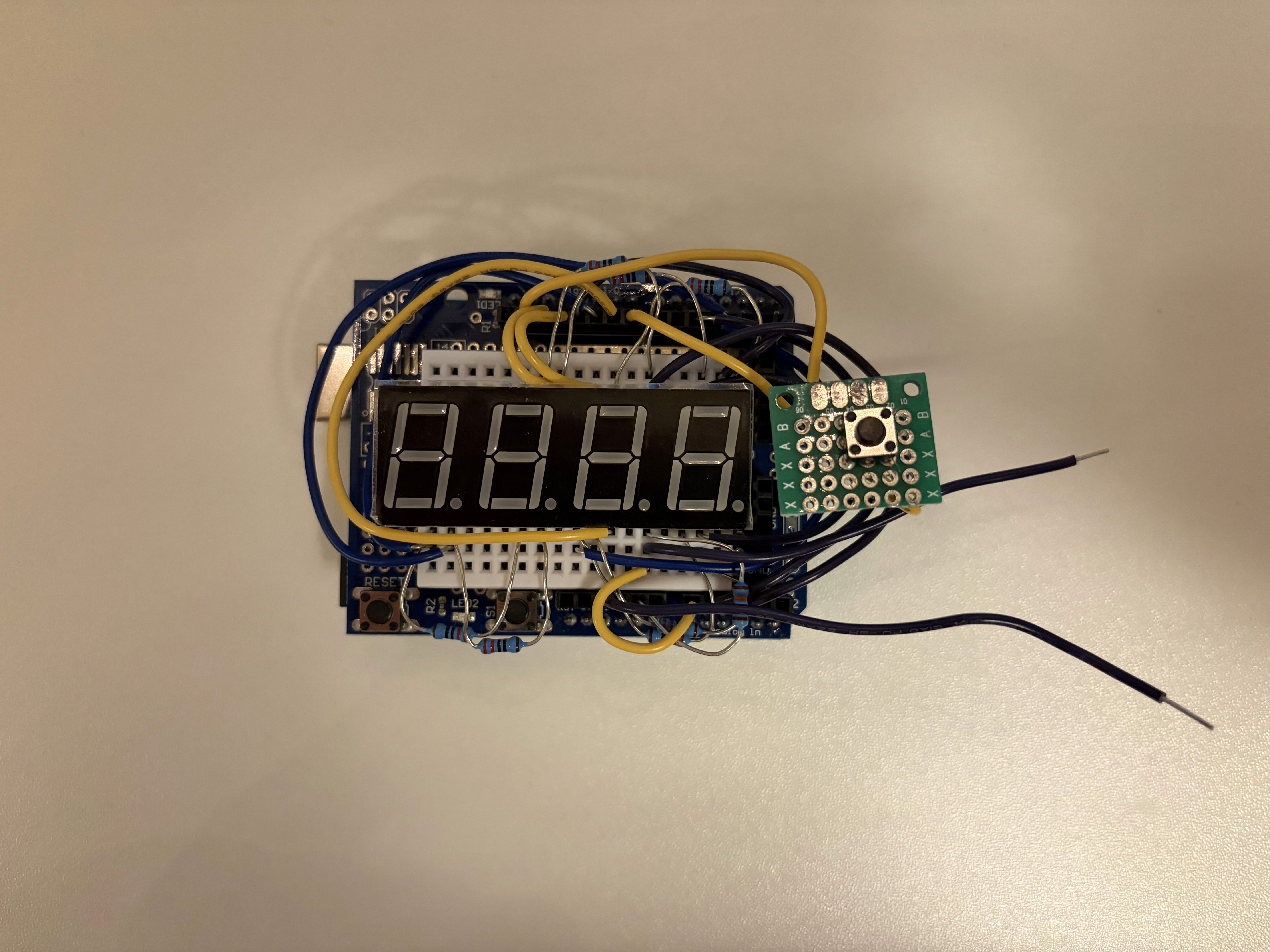
To transition from a bulky breadboard to a compact prototype, I hand-sodered many parts of the circuit.

Industrial Design

3D Modeling


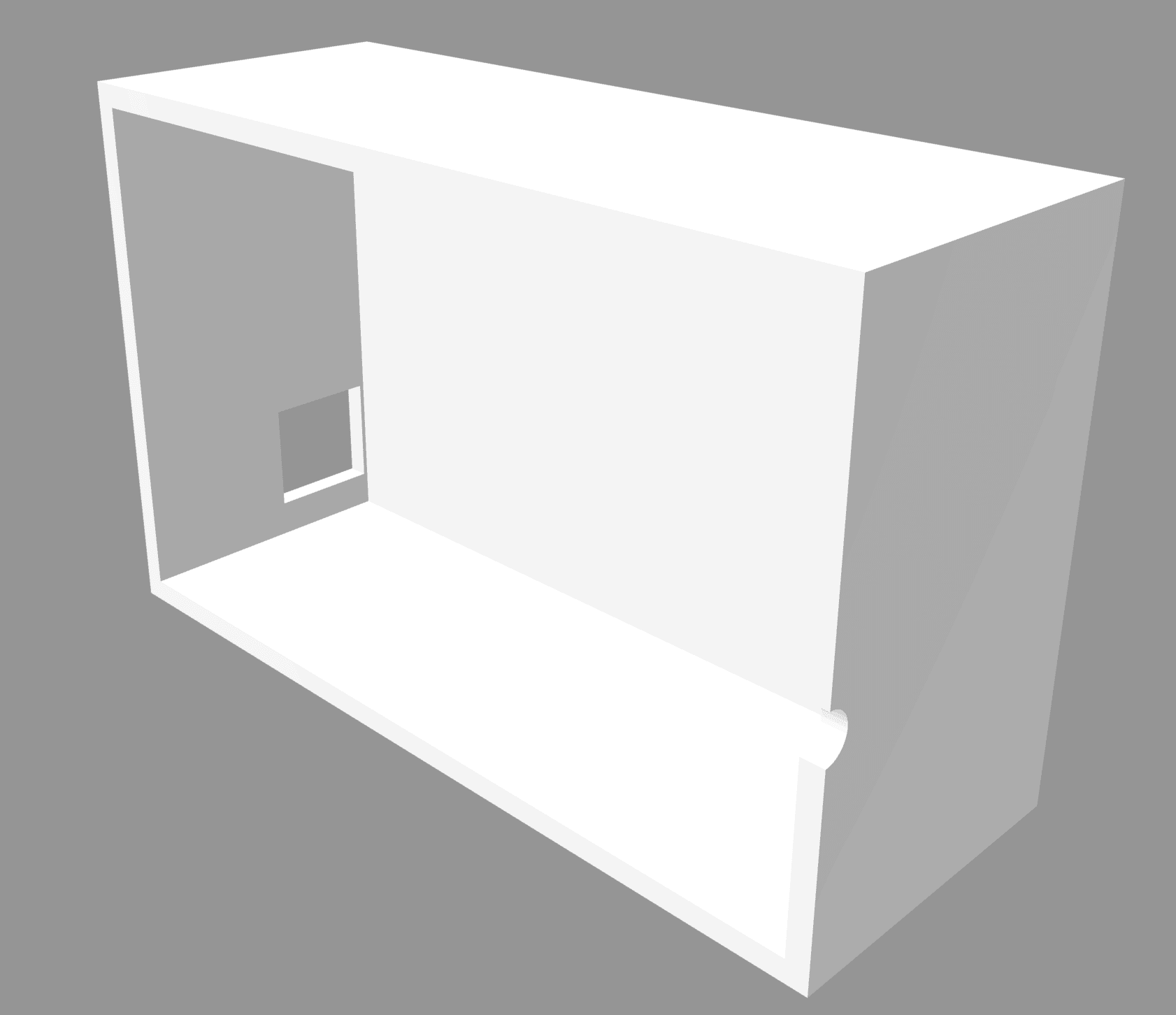
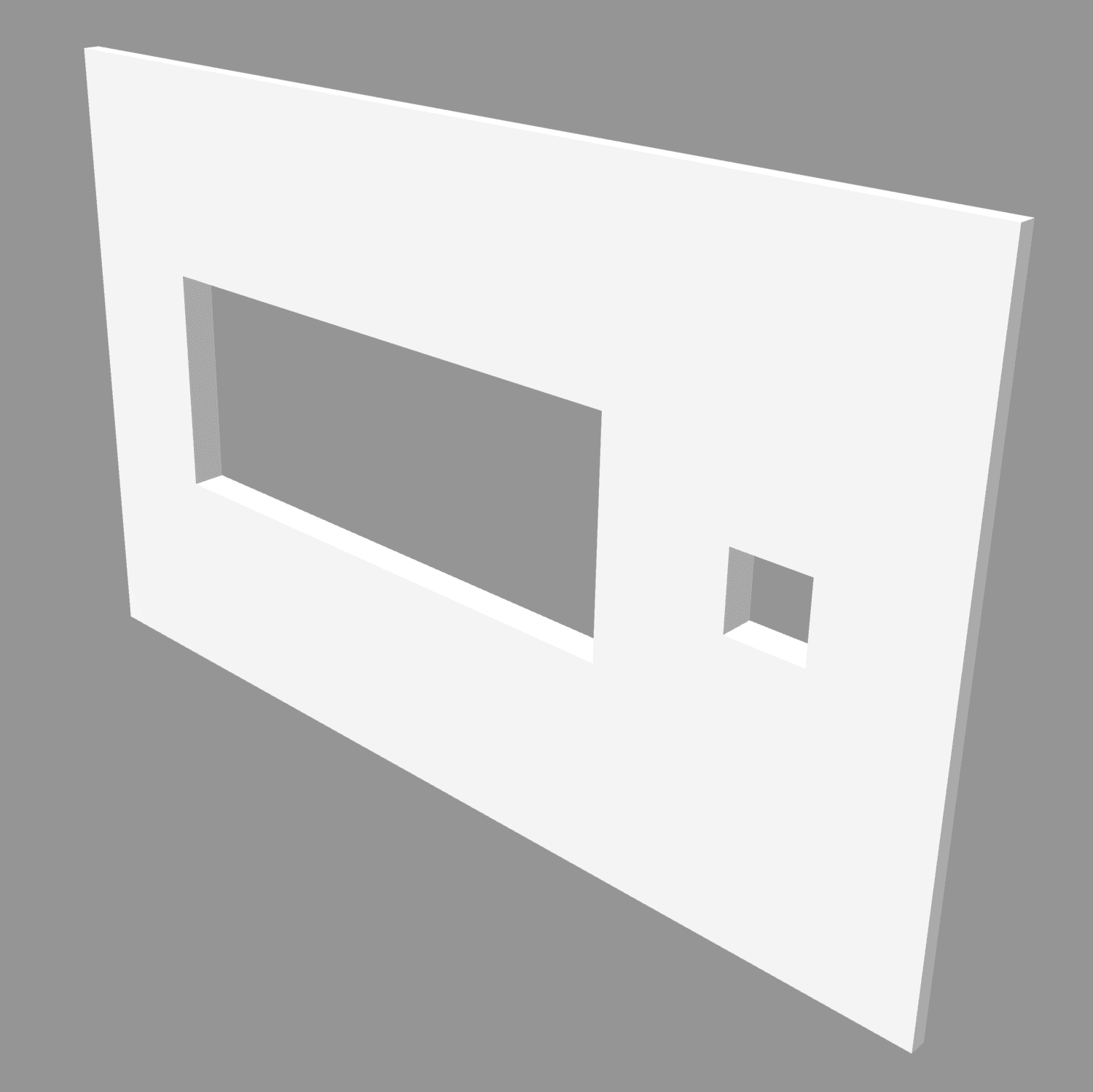
I used Autodesk fusion to engineer a custom, two-part enclosure to house the Arduino and display.

3D Printing


The housing was manufactured using PLA.

Learnings & Takeaways

This project challenged me to bridge the gap between digital logic and physical interaction by working with a functional wearable product. I learned how to manage low-level sensor data, implement real-time calibration, and design durable enclosures for a high-intensity athletic environment.


Beyond the code, I gained experience in industrial design and electrical assembly. Managing the wire density within a compact, 3D-printed housing taught me the importance of spatial constraints.


If I were to evolve my prototype, I would implement multi-modal workout tracking. Since the current systems relies on just tracking pushups based off elbow bend, the code could be expanded to include modes for different exercises.

Other Projects

Create a free website with Framer, the website builder loved by startups, designers and agencies.